 Auto Secure Login

Download ASL MouseLock.
Lock your mouse and touchpad with a PIN. Free, no ads, nothing leaves your PC.
Signed by ASL LLC. Nothing to install: save the file and run it. Windows 10 and 11.
Windows may show a notice the first time because the app is new. Check that the publisher says ASL LLC, then choose Run.
Prefer the Microsoft Store? Get ASL MouseLock there, also free, with automatic updates.
What it does
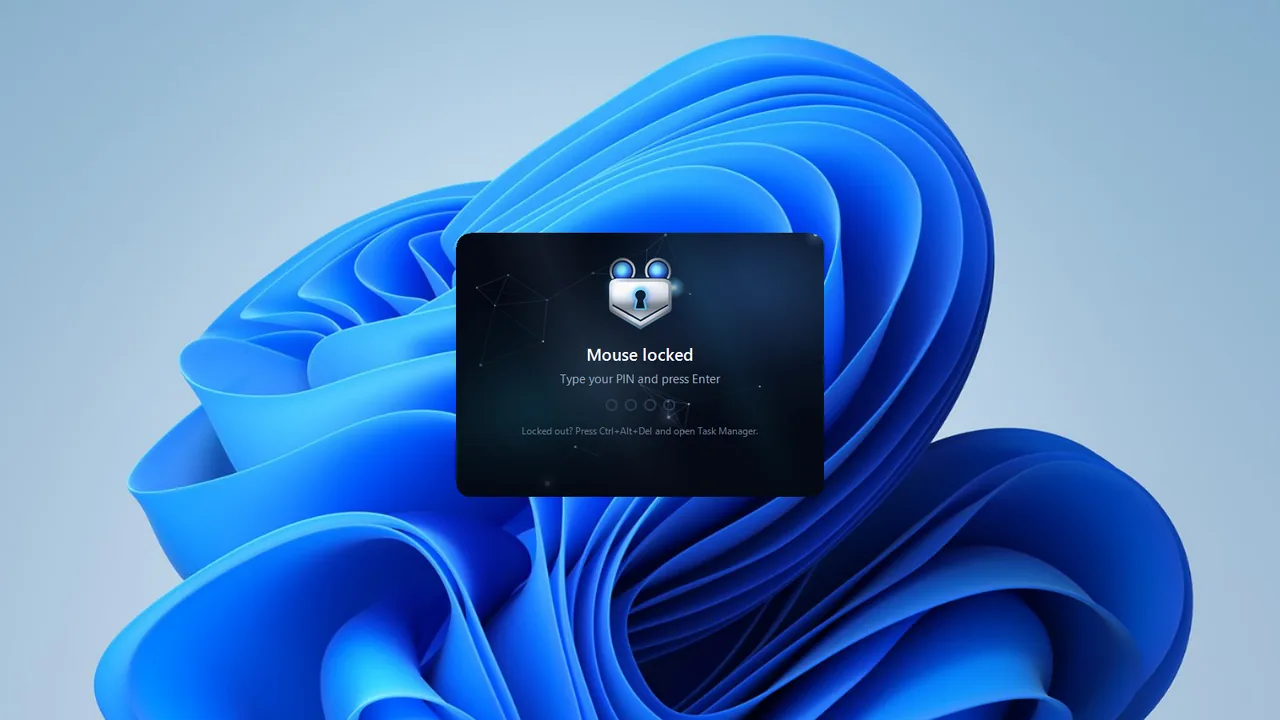
One click locks the mouse. Your PIN unlocks it.
ASL MouseLock stops the mouse and touchpad until you type your PIN. Lock it before you hand the laptop to a child for a video, when the cat likes to walk across the desk, or during a presentation or call where a stray click would end the show.
MouseLock is a convenience lock, not a replacement for the Windows lock screen: Ctrl+Alt+Del always works, so you can never be locked out of your own PC. To secure your PC, press Windows+L.
Want to lock it from your phone? See ASL MouseLock Remote.
In the app
- Lock from the tray icon, with Ctrl+Alt+M, or automatically after a few idle minutes.
- Type your PIN and press Enter to unlock. After three wrong tries it pauses before letting anyone try again.
- A small badge in the corner shows it is locked, so your video stays in view. Or cover the screens completely.
- Optional: lock the keyboard too, so only the PIN keys work.
- Starts with Windows if you want it to.
- Free. No ads, no account, no internet connection, nothing collected. Your PIN is stored only as a secure hash.
The file
MouseLock.exe, version 1.0.0
- Signed by ASL LLC. Nothing to install: save the file and run it. Windows 10 and 11.
- Windows may show a notice the first time because the app is new. Check that the publisher says ASL LLC, then choose Run.
- To remove it, turn off Start with Windows in Settings and delete the file.
SHA-256 of the signed file (5.3 MB)
85b1666a
Nothing leaves your PC.
No ads, no account, no internet connection, nothing collected. ASL MouseLock is made by Auto Secure Login.