 Auto Secure Login

Lock your PC's mouse from your phone.
Lock your PC's mouse from your phone, wherever you are. Unlocking always needs your PIN at the PC.
USD 4.99, one time, for one PC. No subscription and no ads. Windows 10 and 11. Each additional PC is a one-time USD 0.99, bought inside the app, or you can move your licence to a new PC for free.
On sale in the Microsoft Store since November 12, 2026. That is the United States price; the Store shows the price in your currency.
What it does
A Lock button on your phone. Your PIN stays at the PC.
ASL MouseLock Remote is everything in ASL MouseLock, plus a Lock button on your phone. Left the laptop open with the kids, or walked away in the middle of a presentation? Lock the mouse from wherever you are.
ASL MouseLock Remote is a convenience lock, not a replacement for the Windows lock screen: Ctrl+Alt+Del always works, so you can never be locked out of your own PC.
In the app
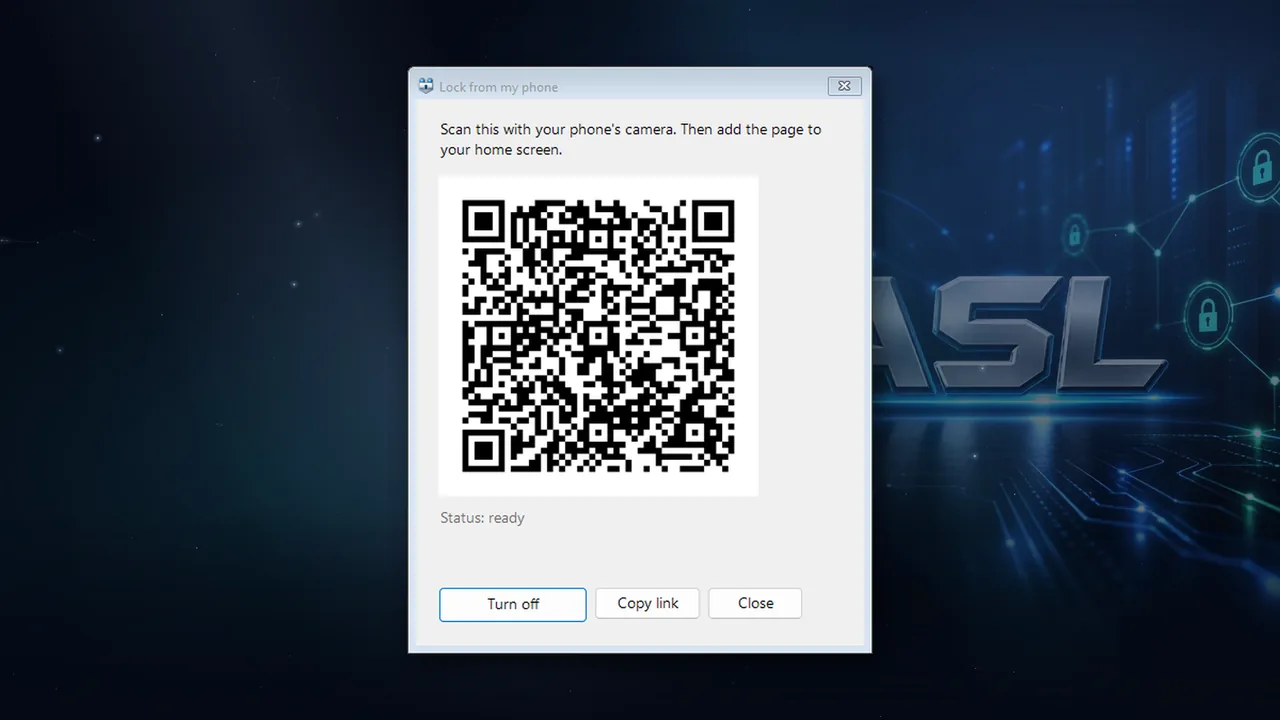
- Lock from your phone: scan the QR code once, add the page to your home screen and tap Lock now. It works in any phone browser, with nothing to install on the phone.
- See at a glance whether the PC is locked.
- Set up with one button: sign in with your free ASL account, then scan the QR code the PC shows. No codes to type and no router settings.
- Remote lock only. Unlocking always needs your PIN typed at the PC. There is no remote unlock.
- Private by design: the PC opens no port, and only someone with your private link can reach your lock page.
- Everything from ASL MouseLock: PIN lock for the mouse and touchpad, optional keyboard lock, cover mode, Ctrl+Alt+M, auto-lock and start with Windows.
Set up
One button, then one scan
- Open Lock from my phone from the MouseLock tray icon and choose Set up.
- Sign in with your ASL account in the browser. If you do not have one, you can create it there for free.
- Scan the QR code with your phone's camera and add the page to your home screen.
- Tap Lock now on the phone whenever you need it. To unlock, type your PIN at the PC.
Price
USD 4.99, one time, for one PC. No subscription and no ads. Windows 10 and 11. Each additional PC is a one-time USD 0.99, bought inside the app, or you can move your licence to a new PC for free.
On sale in the Microsoft Store since November 12, 2026. That is the United States price; the Store shows the price in your currency.
The free ASL MouseLock stays free and works fully offline.
Remote lock only. Your PIN never leaves the PC.
No ads and no tracking. The phone can lock the mouse and see whether it is locked, and nothing else. ASL MouseLock Remote is made by Auto Secure Login.