 Auto Secure Login
See where you stand
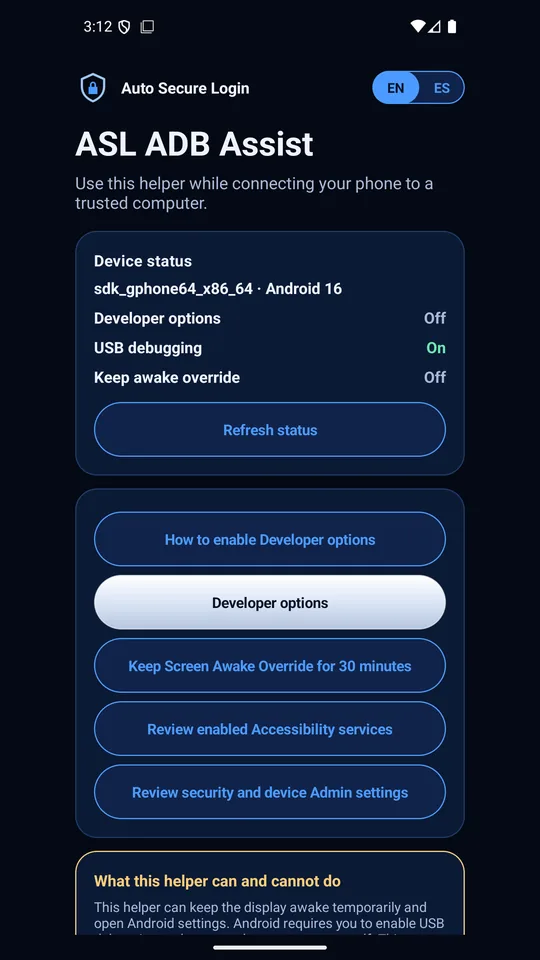
Your device model and Android version, and whether Developer options, USB debugging and the keep-awake override are on, in one card. Refresh it as you go.
Android · Free app
Connecting your Android phone to a trusted computer means finding the right settings, in the right order, before the screen goes dark. ADB Assist puts that walk in one place: it shows what is on, opens the screen you need, and keeps the display awake while you work.
Free on Google Play; no account, no ads
Instructions for USB debugging usually assume your phone looks like the author’s. ADB Assist starts from the phone in your hand.
Your device model and Android version, and whether Developer options, USB debugging and the keep-awake override are on, in one card. Refresh it as you go.
Opens Developer options directly, using the route that reaches it on real phones instead of a shortcut that lands somewhere else.
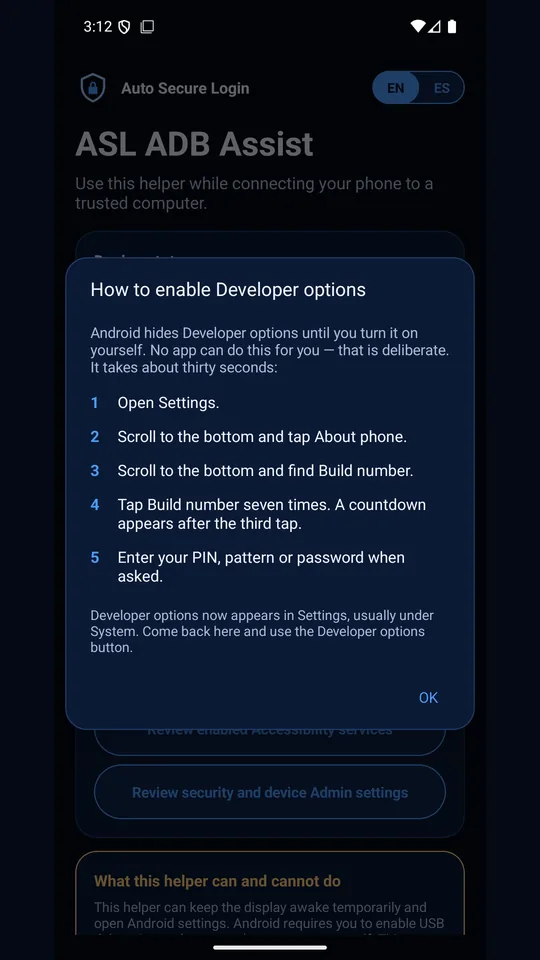
Android hides them until you tap Build number seven times yourself. The app walks you through it in five short steps, because no app is allowed to do it for you.
Keeps the display awake for up to 30 minutes and stops when you ask or leave the app. It needs no permission to do this.
Opens the Accessibility services and device admin screens, where another app that keeps closing Settings usually shows up, and explains the Safe mode route if it still closes.
The app requests no permissions at all, not even internet access, so nothing it shows can leave your phone. No account, sign-in, analytics or crash reporting. English and Spanish.
What you need. Android 8 or newer, a USB cable and a computer you trust. ADB Assist opens settings and keeps the screen on; Android still asks you to approve the computer yourself.
The Android app
Version 1.0.3, free.
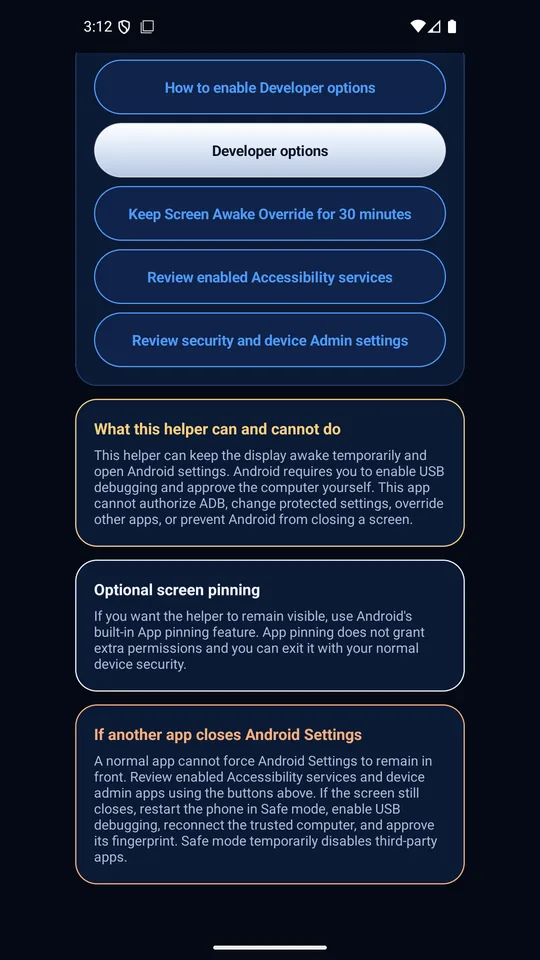
ADB Assist cannot authorize ADB, change protected settings, override other apps or stop Android from closing a screen. It says so on its own main screen, because a tool that overstates its reach wastes your time when it matters.
Every action opens a standard Android settings screen that you control. The keep-awake override is a window setting that ends when you leave the app; nothing keeps running in the background.
There is nothing to collect: no permissions, no network access, no account. Read the ADB Assist privacy notice.