 Auto Secure Login
Know what just joined your network.
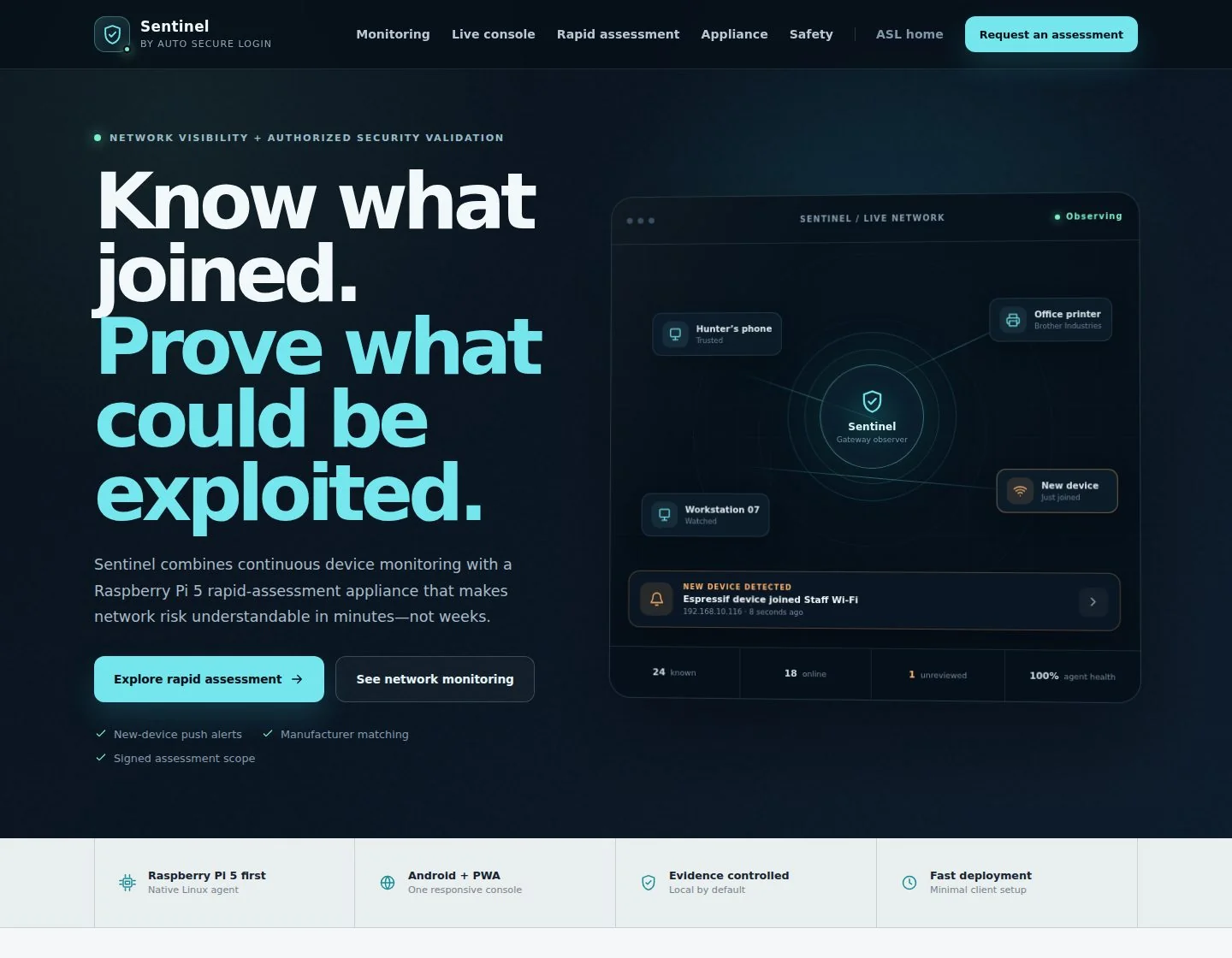
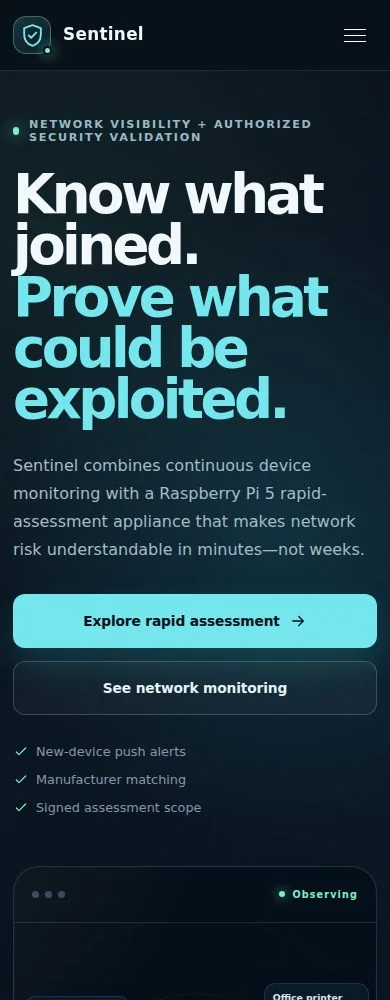
A running record of every device on your network, and an alert the moment something new joins.
Built for: A small-business owner who runs the office Wi-Fi and has no IT department · A homeowner with forty connected things and no idea what half of them are · An IT consultant or managed-service provider keeping an eye on several client sites · A clinic, law office or shop where client records sit on the same flat network as the thermostat
The problem
Network Sentinel exists because of this.
You know the Wi-Fi password. You do not know what is using it. Somewhere between the phones, the TV, the doorbell camera, the printer nobody has touched since 2021, the thermostat, two tablets, a game console and whatever the last contractor connected, your network filled up with things you never wrote down. Open the router’s admin page and you get a list of numbers and half-names: android-8f2c, ESP_A41B, four blank rows, and an address you have never seen before. That is not an answer. That is homework, and it is homework you only ever do at the worst possible time. And the moment is always a bad one. Something unfamiliar shows up in the list and you cannot tell whether it is the new smart plug your partner set up or someone sitting in the parking lot. A tenant moves out and you have no idea which of the twelve unknowns was theirs, so you change the password, break the printer, and learn nothing. A client or an insurer asks what is connected to the network their records live on, and the honest answer is "I would have to go and look" — and looking gives you a snapshot from thirty seconds ago. It tells you nothing about the laptop that appears for ten minutes every Tuesday night and is gone before you check again. It tells you nothing about the camera that quietly stopped reporting three weeks ago. The tools that solve this properly were built for companies with a security team. They assume a budget, a rack, a person whose whole job this is, and a willingness to put something inside your network that can also cut devices off it — which means a false alarm stops being a confusing row on a screen and starts being the front desk phone going dead during business hours. For a six-person office, a rental property, a clinic, or a house with too many gadgets, that is the wrong size of answer. And "we will just be careful" is not an answer at all.
What changes
- It does not cut devices off your network, and the reasoning is written down rather than implied — a false alarm costs you a confusing row, never an outage
- The one control that sounds like enforcement is labelled, on the control itself, as a label only — the product refuses to imply a power it does not have
- Identity is graded by source, so a strong fact from your own network equipment is never overwritten by a weak guess from a scan
- It marks privacy-rotated addresses as private instead of printing a manufacturer name that sounds right and is wrong
- Alerts carry a delivery record — status, attempt count and last error per alert — not just a record that something was raised
- The device’s actual observed history is rendered above the control that changes its status, so you cannot label a device you have never really looked at
- Backups are proven by restoring one through the real software and re-reading known records, not by checking a file exists and parses
What it does
How Network Sentinel works, start to finish.
Network Sentinel keeps a running, honest record of what is on your network — what each thing is, when it showed up, when it left, and whether that should concern you. You connect one small always-on computer to the network you want watched: a Raspberry Pi 5, or any small Linux machine you already have. It looks on a schedule, records what it sees, and reports in on every cycle, including the quiet ones, so silence itself becomes a signal rather than a blind spot. The first ten minutes on a new watcher are treated as a baseline, so setting it up fills in your inventory instead of firing an alert for every device you already own. The work that makes this useful is naming. A raw scan gives you addresses; Sentinel turns them into devices. It matches hardware addresses against the public manufacturer registry, held on your own watcher and refreshed every seven days, so a number becomes "Google" or "HP". It resolves the name a device publishes for its own address. It listens for the names printers, streaming boxes, phones and speakers already broadcast to the local network by design — which is how "a4:83:e7:..." becomes "Dana’s Printer". And it can read your own network equipment’s list of who joined, read-only, so a device gets the name it actually supplied at the door. Those four sources are ranked against each other, and a weaker guess is never allowed to overwrite a stronger fact. Where it genuinely cannot know — a modern phone rotating a private address to avoid being tracked — it says so and marks the device private, rather than inventing a manufacturer that sounds convincing and is wrong. Then you give each device a standing instruction, once, from a list of seven: unreviewed, trusted, important, watch, guest, ignored, or blocked. That instruction decides what is worth interrupting you for. Sentinel raises an alert when a device it has never seen joins; when a device you have not reviewed yet, or one you marked watch or guest, comes back after being away; when a device you marked important drops offline; and when the watcher itself goes dark — because a monitor that quietly dies is worse than no monitor at all. "Blocked" is the one instruction that does less than its name suggests, and the product says so on the control itself: it is a label on your own inventory, not an action on your network. Alerts reach you as push notifications on an Android phone, and can also be posted to a system of your own — a chat channel, a ticket queue, your own tooling — signed with a shared secret so the receiving end can confirm the message really came from your Sentinel. Delivery is not assumed. A failed delivery is retried with widening gaps, from thirty seconds up to a one-hour ceiling, given up on after eight attempts, and then kept visible as a failure rather than vanishing. You can look at any alert and see whether it actually arrived, how many attempts it took, and what the last error was. Because it is always watching, you get history rather than a moment. Every device carries when it was first seen, when it was last seen, every name and address it has used, and a session log of its comings and goings per network. That matters most right before you make a decision: when you open a device to change its standing instruction, the screen shows you what it actually did first — how many times it was observed and by which sources, every name it has gone by, and up to ten recent arrivals and departures with times — above the control that changes its status, not hidden behind a tab. When someone else needs the picture, any credential from read-only upward can produce the full inventory as a PDF. Access is deliberately narrow. There are four levels — read-only, operator, administrator, owner — so the bookkeeper who just needs to look is not handed the keys to everything. Signing in trades a credential once for a short-lived pass rather than parking a permanent key in a browser, a leaked credential can be switched off on its own without restarting anything, and every change is written to an append-only record of who did what, to what, and from where. Runtime data is archived automatically every six hours, encrypted because two of those files are credentials — and, this is the part most products skip, the archives are proven by actually restoring one back through the real software and re-reading known records, not by checking that a file exists and parses. One thing Sentinel will not do, and this is a decision rather than a gap: it does not disconnect, quarantine, or block anything. The connections it makes to your own network equipment are read-only by construction. The moment a monitoring product can remove a device from a network, a false positive stops being a misleading row and becomes an outage during business hours. Sentinel observes, records, and tells you. What to do about it stays yours.
Features
Everything in the current release.
Each of these is built and working today. Nothing on this list is a roadmap item.
A small box that watches all the time
Connect one low-cost always-on computer — a Raspberry Pi 5, or a small Linux machine you already have — to the network you want watched. It looks on a schedule, records what it sees, and reports in on every cycle, including cycles where nothing changed, so silence itself is a signal rather than a blind spot. The first ten minutes are treated as a baseline, so setting it up populates your inventory instead of firing an alert for every device you already own.
Names instead of numbers
Sentinel turns raw addresses into recognisable devices four different ways: the public manufacturer registry, held on your own watcher and refreshed every seven days; the name a device publishes for its own address; the names printers, streaming boxes, phones and speakers already broadcast to the local network by design; and your own network equipment’s record of who joined. Those sources are ranked against each other, and a weaker guess is never allowed to overwrite a stronger fact.
Ask the router instead of guessing
Sentinel can read the list of joined clients from a UniFi controller, or from a gateway that keeps a standard address-lease list — which covers OpenWrt and most OPNsense and pfSense setups. That gives you the name each device supplied when it joined, which no amount of scanning can recover. The connection is read-only by construction: nothing in it can change a setting, alter a reservation, or drop a client, and it is meant to be pointed at a dedicated read-only account with nothing else attached.
It says "private" instead of guessing wrong
Modern phones and laptops rotate a private hardware address specifically so they cannot be tracked across networks. Plenty of tools cheerfully print a manufacturer name for those anyway, and it is fiction. Sentinel marks them private and withholds the attribution. The one exception is your own network equipment: if the gear the device actually associated with reports a vendor, that is a fact from the door rather than a guess from the address, so it is allowed through.
Every device gets a standing instruction
Set each device once, and that instruction decides what wakes you. Unreviewed is the starting point and alerts when the device returns. Trusted is normal monitoring. Important means tell me if it drops. Watch and Guest mean tell me every time it comes back. Ignored means keep the history and stop talking to me about it. Blocked is a label on your own inventory only, and the control says so in plain words rather than implying a power the product does not have. You can also record a name, an owner, a room and a device type, so six months later the inventory reads like your building rather than like a scan.
Four alerts worth interrupting you for
A device nobody has ever seen joined the network. A device you have not reviewed yet, or one you flagged watch or guest, came back after being away. A device you marked important went offline. Or the watcher itself went dark. That is the whole list, on purpose. An alert stream that fires on everything is one nobody reads by week three.
Alerts that arrive, and prove it
Alerts land as push notifications on an Android phone, and can also be posted to a system of your own — a chat channel, a ticket queue, your own tooling — signed with a shared secret so the receiving end can verify they genuinely came from your Sentinel. Raising an alert is the easy half; delivering it is where systems quietly fail. A failed delivery is retried with widening gaps, from thirty seconds up to a one-hour ceiling, given up on after eight attempts, and kept visible as a failure rather than disappearing. You can look at any alert and see whether it arrived, how many attempts it took, and what the last error was.
History, not a snapshot
Every device carries when it was first seen, when it was last seen, every name and address it has used, and a session log of arrivals and departures per network. That is what turns "there is an unknown device" into "that unknown device has appeared for twenty minutes every weekday morning since March" — which is a completely different conversation, and usually a much calmer one.
The evidence is on screen before the decision is
When you open a device to change how it is treated, Sentinel shows you what it actually did first — how many times it was observed and by which sources, every name it has gone by, and up to ten recent comings and goings with the network, the interface and the times — rendered above the control that changes its status, not behind a tab or a collapsed panel. Deciding a device’s fate from a name, one address and a vendor guess is how good devices get flagged and odd ones get waved through.
An inventory you can hand to someone
Sentinel produces the current inventory — summary, devices and recent alerts — as a PDF, and read-only access is enough to generate it. In the Android app it is a button that hands the file straight to the normal Android save dialog. It is the document you send to a client who asked what is on the network holding their records, or the one you keep alongside the rest of your paperwork so the next time someone asks, the answer is already written down.
The least access that does the job
Four access levels — read-only, operator, administrator, owner — so a person who just needs to look never holds the keys to everything. Read-only views the summary, devices, alerts and watcher coverage, and can produce the inventory PDF. Operator adds device edits and alert acknowledgement. Signing in trades a credential once for a short-lived pass instead of parking a permanent key in a browser, one leaked credential can be switched off on its own without restarting anything, and every change is written to an append-only record of who did what, to what, from where.
Your Windows PC as a second set of eyes
The Windows client does its own scan of the private networks that PC is on and contributes what it finds, which is useful when a segment has no watcher of its own. Turn alerts on and it stays in the system tray, starts with Windows, and raises a desktop notification when something happens; selecting the notification reopens the console. Enabling alerts sets the current alert list as your starting point, so you do not get a flood of old news, and turning them off removes the stored credential and the start-with-Windows setting.
Backups that have actually been restored
Runtime data is archived automatically every six hours, encrypted — encrypted rather than merely tarred, because two of the files are credentials — and the schedule catches up on its own if the machine was down at the scheduled time. More to the point, a real archive has been decrypted and loaded back through the live software, with known device, alert and watcher records read back intact. A timer proves a script ran. Only a restore proves the bytes are usable.
It watches. It does not touch.
Sentinel does not disconnect, quarantine, or block a device, and the links to your own network equipment are read-only by construction. This is a decision with the reasoning written down, and with the conditions recorded that would have to be met before it ever changed. The moment a monitoring tool can remove a device from a network, a false positive stops being a misleading row on a screen and becomes your front desk phone going dead at 11am. Sentinel tells you. You decide.
Proof
Numbers we can stand behind.
Every figure below comes from the product's own release record or test suite, not from a marketing estimate.
- No advertising and no analytics anywhere in the phone app, and no third-party device-lookup service ever sees your device list — manufacturer matching runs from a registry held on your own watcher
- The optional authorized-assessment side cannot start at all without a signed, time-limited, network-scoped written authorization, and its credential-behaviour evidence path is built so there is nothing typed to collect — the input fields carry no names and the receiver rejects anything it did not expect
Where it runs
Surfaces and status.
Status as of 2026-09-08. sentinel.autosecurelogin.com answered a health check at 2026-09-02T12:16:17Z reporting the service and its background alert delivery both running, and a live capability read-back the same minute confirmed role-based access, short-lived sessions, the change record, rate limiting, alert delivery history and phone push are all serving — not merely shipped. The operator console page being served was last updated 2026-08-11, and the paths for the two radio products that used to live inside Sentinel now redirect away to their own addresses, which independently confirms the 2026-08-11 change is the deployed one. Release 0.4.7 was independently confirmed running in production on 2026-08-01 by reading the release identity back off the server. The clients are at an earlier stage than the service: the signed Android build accepted on an emulator and a physical Pixel 8 on 2026-08-23 is 1.1.0, the Windows installer and the watcher bundles were built and released on 2026-08-14, and no watcher has yet run on a customer network.
Works with
Worth more together.
Products on this platform share one sign-in, one support queue, and one engineering standard. These pair naturally with Network Sentinel.
Aegis
Sentinel watches the network your machines sit on; Aegis watches an individual internet-facing server for intrusion attempts and post-compromise changes. Same instinct — detect, record, stay bounded — applied one layer down.
Explore →ASL Scan
Once you know which devices are on the network, Scan is where you check the apps running on them. The natural next question after "what is connected?" is "what is it running?"
Explore →BandSight
Sentinel sees devices that joined your network. BandSight sees radio activity around it — receive-only field visibility for signals that never touch your Wi-Fi at all. It used to ship inside Sentinel and now has its own home.
Explore →SignalLab
For teams who need controlled, authorized radio testing alongside network visibility. Same discipline as Sentinel’s assessment side: nothing runs without written, scoped authorization.
Explore →ASL Vault
Sentinel issues access credentials for its own console; Vault is where those and the rest of your keys live under a single locked store that automation can write to but cannot read.
Explore →What is new
Recent progress.
This product ships often. The most recent verified changes, newest first.
Network Sentinel 1.2.4 (code 7) entered Google Play review as an English and Spanish release, rolling out to the 172 countries the paid app supports. The existing United States price of 9.99 dollars is unchanged.
Before submission the signed app passed English and Spanish label and type edits, alert acknowledgement, all six connected tabs, two-page report exports, foreground and background notifications in both languages, and a cold restart. The last month has been about proving the safety net and about the phone.
automatic encrypted archiving of live monitoring data every six hours, then proven by decrypting a real archive and reloading it through the live software — 19 devices, 21 alerts and one watcher read back intact.
access credentials and the session-signing secret were moved into locked-down provisioned files the running software can only read, and the way to rotate the master credential remotely was removed outright — in a security product that is an attack surface, so rotation now takes hands-on access to the machine itself.
BandSight and SignalLab moved out into their own products at their own addresses, and the old paths now redirect there, so Sentinel’s releases are purely about network visibility.
the 0.4.7 Windows installer and the Raspberry Pi 5 and 64-bit Linux watcher bundles were built and released with published checksums; the Windows installer is still unsigned, and that was confirmed by checking the signature on the built file rather than trusting the build log.
the Android client was rebuilt as a genuinely native app, signed, and passed full acceptance as version 1.1.0 on both an emulator and a physical Pixel 8 — every screen, role boundaries, alert registration, inventory export, offline behaviour and session survival across a force-stop, with no advertising or analytics present.
a standalone on-device scan was written and unit-tested for version 1.2.0, so the app would be useful with no account and no watcher; that version has not been built into a signed release yet. The live service answered a health check on.
Pricing
Pricing for Network Sentinel is quoted after a short conversation about your situation, because the right scope differs from one team to the next. There is no charge for that conversation.
Ask about pricingQuestions buyers ask
Straight answers.
What does it cost?
Pricing is not published. The service is live and running, the watcher bundles and clients are built and available, and we would rather talk about the shape of your network than quote a number that does not fit it. Get in touch and we will tell you exactly what it takes to cover your site.
My router already shows connected devices. Why do I need this?
A router shows you who is connected right now, under whatever name they supplied, with no memory. Sentinel keeps history: when each device was first and last seen, every name and address it has used, and its arrivals and departures over months. It also tells you when something new joins or something important disappears, instead of waiting for you to open a page and read a list. And it can pull that same list from your router read-only, so you get the router’s own naming plus everything a router will never do.
What do I have to buy, and how long does setup take?
One small always-on computer per network segment you want watched — typically a Raspberry Pi 5, or any small Linux machine you already have — plus the console credential we issue. Setting up a watcher is a guided run: it checks its own environment first, you confirm which interface and which network it is allowed to watch, and you observe the first scan arriving before continuous monitoring is left running. Nobody has yet run a watcher on a customer network, so plan the first one as a supervised session with us rather than an unattended install.
Where does my network data go? Can you see it?
Your inventory lives in your deployment and is reachable only with a credential we issue to you. Nothing is sent to a third-party device-lookup service — manufacturer matching runs against a public registry held on your own watcher and refreshed every seven days. The phone app contains no advertising and no analytics, and it never reads your Wi-Fi network name, which is why it does not ask for location permission. If you want a fully self-run installation on your own hardware, that is a conversation we are happy to have.
What happens to my data if we stop?
The inventory, the history and the alert record are yours. You can produce the full inventory as a PDF at any time while you have access, and if you are shutting a deployment down you get the underlying data files. Nothing is held hostage, and nothing about Sentinel requires an ongoing connection to us to keep watching your own network.
Can it kick an unknown device off my network?
No, and that is deliberate. Sentinel is built so that it cannot disconnect, quarantine or block anything, and its links to your network equipment are read-only. There is a "blocked" setting, and the control itself tells you it is a label on your inventory rather than an action — we would rather write that on the screen than let the word imply something untrue. The reasoning is written down: the moment a monitoring tool can remove a device, one wrong identification stops being a confusing row on a screen and becomes your card reader or front desk phone going dead mid-morning. Sentinel tells you what it sees and gives you the history to judge it. Blocking stays a decision you make on your own equipment.
Is it actually ready, or are we the ones finding the problems?
The service has been running publicly since mid-2026 and answered a health check on 2026-09-02, with role-based access, sessions, alert delivery history and phone push all confirmed serving rather than merely shipped. It has been through more than a hundred automated checks per release, a real restore of a real encrypted archive back through the live software, and device acceptance on a physical phone. The honest edges are on this page: no blocking, no organisation separation yet, a few administrator screens still to build, the Android app installed directly rather than from the store, and — the one that matters most — no watcher has yet run on a customer network, so the first install is a supervised job with us.
We already have a security product. Does this overlap?
Usually not. Most security tools watch traffic leaving your network or protect individual machines. Sentinel answers a different question — what is physically present on this network, since when, and what changed — which is the question you cannot answer from a firewall log or an antivirus dashboard. It also sits happily alongside them, since it only observes and never intervenes.
Has anyone outside your team tested it?
No. There has been no external audit and no third-party penetration test, and we will not describe our own reviews as either. What we can show you is specific and checkable: what each release was tested against, a real archive decrypted and restored through the live software, the acceptance run on a physical phone, and the deployed version read back off the running service rather than assumed from a merge.
Can I just try it from my phone without setting anything up?
Not yet. The signed Android build available today signs in to a deployment, so it needs a running watcher and a credential from us. A standalone scan that works on the network the phone is already joined to, with no account and nothing installed, is written and unit-tested but has not been built into a signed release. We would rather tell you that than let you plan around it.
What should I know before I rely on it?
We would rather you hear this from us than discover it later. As of 2026-09-08:
- Sentinel observes only. It cannot disconnect, quarantine or block a device, and the "blocked" setting is a label on your own inventory until you act on your network yourself — the console says exactly that on the control. This is a deliberate, documented decision, and it is the main thing to weigh before buying.
- One watcher sees one network segment. A separate guest network, a second network segment or a floor on its own switch each needs its own watcher, or a read-only link to network equipment that can see them all.
- No watcher has yet run on a customer network. The bundles are built and checksum-verified and the setup is documented, but a first deployment is a supervised exercise, not a proven-at-scale install.
- The read-only link to your own network equipment has not yet been exercised against a real UniFi controller or a real gateway in the field. It is built and tested, and confirming it against your specific gear is part of setting you up.
- A device using a privacy-rotated address cannot be tied to a manufacturer from the address alone. Sentinel marks it private rather than guessing — unless your own network equipment supplies the answer.
- Everyone holding a credential currently sees the same single inventory. There is no separation into households or client organisations yet, so one deployment per site is the right shape for a consultant managing several clients.
- Signing in is by issued access credential, not per-person company accounts or single sign-on.
- Alerts go to an Android phone and to a system of your choosing. Phone alerts travel through Google’s push service, as all Android notifications do. Posting to your own system is on only when you supply a destination, and signed only when you also set a shared secret. There is no built-in email or SMS channel today.
- Phone alert registration and de-registration were proven on real hardware during acceptance, but a delivered alert was not driven end to end on a handset during that pass, because doing so would have meant injecting a live alert into the running inventory.
- A few administrator functions — reading the change record, listing and switching off credentials, reviewing delivery history — work but do not have a screen in the console yet.
Know what just joined your network.
A running record of every device on your network, and an alert the moment something new joins.
Prefer email? contact@autosecurelogin.com